Panel Overview
All panels are configured through the visual editor in Home Assistant. See the Configuration Overview for how to use the editor.
NSPanel HAUI supports 13 panel types plus system panels and popups. Panels are categorized by purpose:
- Entity Controls — Control a single Home Assistant entity (light, climate, cover, etc.)
- Multi-Entity — Display and control multiple entities at once
- Screensavers — Full-screen displays for idle/sleep mode
- Utility — Special-purpose panels (timer, QR, alarm)
- System — Always-available built-in panels (no configuration needed)
Screensaver Panels
Panels that can be used as screensavers / idle display. These panels do not show navigation by default.
| Preview | Panel | Type | Description |
|---|---|---|---|
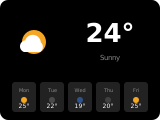 |
Weather | weather |
Weather forecast, time/date, optional background images. Supports up to two info items. |
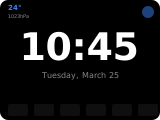 |
Clock | clock |
Large time/date display with optional weather, background, and entity buttons. |
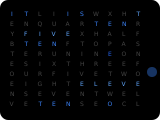 |
ClockTwo | clocktwo |
Word clock showing the time by highlighting letters (e.g., "IT IS HALF PAST TWELVE"). |
Multi-Entity Panels
Panels that show multiple entities in a navigation-enabled layout.
| Preview | Panel | Type | Description |
|---|---|---|---|
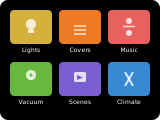 |
Grid | grid |
Up to 6 entities arranged in a scrollable grid. Color overrides, power buttons. |
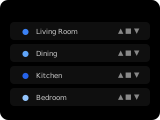 |
Row | row |
Up to 5 entities as stacked rows, each with an icon, name and a control suited to the entity type. |
Entity Control Panels
Single-entity control panels with full feature support.
| Preview | Panel | Type | Description |
|---|---|---|---|
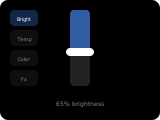 |
Light | light |
Full light control: brightness, color temperature, RGB color wheel, effects. |
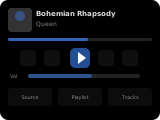 |
Media | media |
Media player controls: play/pause, volume, queue. Supports TV, speakers, receivers. |
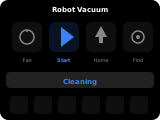 |
Vacuum | vacuum |
Robot vacuum controls: start/stop, return home, fan speed, locate. Up to 6 secondary items. |
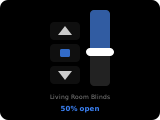 |
Cover | cover |
Cover/blind control: open, stop, close, vertical position slider. |
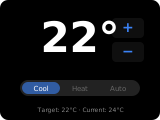 |
Climate | climate |
HVAC control: temperature setpoint, modes (heat/cool/auto), fan speed, swing, presets. |
Utility Panels
Special-purpose panels for non-entity functions.
| Preview | Panel | Type | Description |
|---|---|---|---|
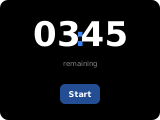 |
Timer | timer |
Local countdown timer with start/pause/stop. Display-local time, no HA entity needed. |
 |
QR Code | qr |
Display QR codes for Wi-Fi details, URLs, or custom text. |
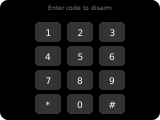 |
Alarm | alarm |
Numeric keypad for alarm code entry. Arm/disarm with mode buttons. |
Popups
Overlay panels used for temporary interactions.
| Popup | Type | Description |
|---|---|---|
| Unlock | popup_unlock |
PIN-protected unlock for locked panels. Built on AlarmPage. |
| Notify | popup_notify |
Ad-hoc notification popup with optional action buttons. |
| Select | popup_select |
Selection list popup for choosing values (fan speeds, presets, etc.). |
Popup variants of entity panels (popup_light, popup_media_player, popup_vacuum, popup_climate, popup_timer, popup_cover, popup_alarm) mirror their main panel layout.
System Panels
Always available, no configuration needed.
| Panel | Type | Description |
|---|---|---|
| Blank | sys_blank |
Blank/empty panel you can use as the idle page. |
| System | sys_system |
Loading/error panel. Automatically shown when the device loses connection. |
| Settings | sys_settings |
Device settings panel (brightness, dimming, sounds, etc.). |
| About | sys_about |
Device and version information panel. |